
Local AI and Offline Models
WhoseDev can run inference on your machine through Ollama. Local models keep code and prompts on your hardware — useful for privacy, offline work, or avoiding cloud usage.
Open the setup wizard
Section titled “Open the setup wizard”Run WhoseDev: Manage Offline Models (whosedev.manageOfflineModels) from the Command Palette. The guided wizard walks through:
- Welcome — overview of local AI capabilities
- Install Ollama — install the Ollama runtime if it is not present
- Start the daemon — verify
ollama serveis reachable - Models — browse installed and recommended models
- Pull models — download models WhoseDev recommends for your hardware
- Verification — see qualification results per model and feature
You can also reach local AI settings from WhoseDev AI Settings → Local AI.
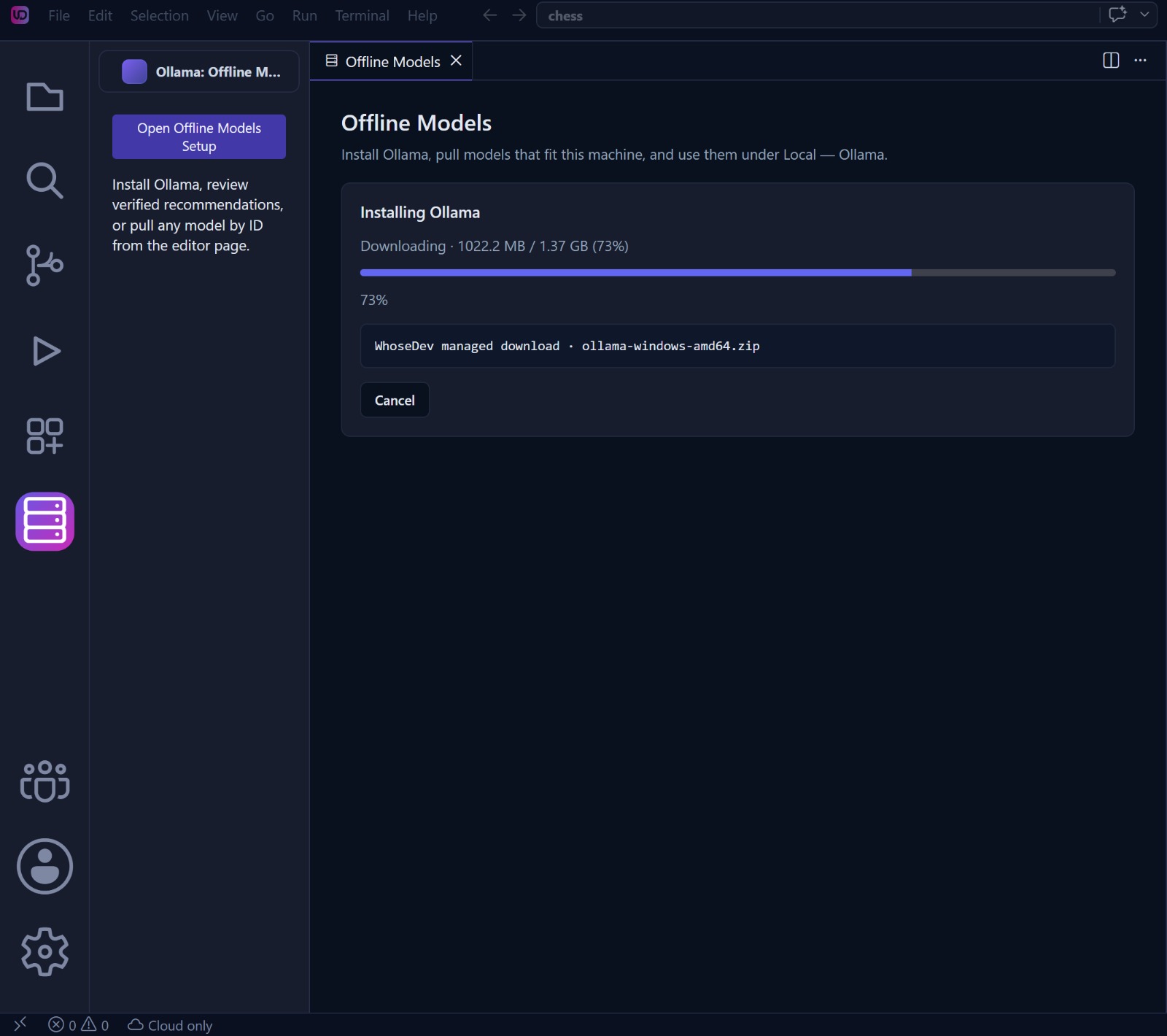
WhoseDev shows installation progress while it prepares Ollama. Keep the editor open until setup finishes, then continue to model selection and verification.
How WhoseDev installs Ollama
Section titled “How WhoseDev installs Ollama”When the wizard can manage the runtime, Install Ollama downloads the official archive GitHub currently marks as Ollama’s latest release. It is not a zip bundled inside the WhoseDev installer.
| Platform | Archive WhoseDev downloads |
|---|---|
| Windows | ollama-windows-amd64.zip or ollama-windows-arm64.zip |
| Linux | ollama-linux-amd64.tar.zst or ollama-linux-arm64.tar.zst |
| macOS | ollama-darwin.tgz |
WhoseDev verifies the archive checksum when GitHub publishes sha256sum.txt, extracts it into the editor’s user-data folder, and starts that binary itself. On Linux that is typically ~/.config/WhoseDev/whosedev-ollama/runtime/bin/ollama.
That copy is private to WhoseDev. It is not added to your shell PATH, so ollama in an external terminal can still say “command not found” even while WhoseDev shows Ollama installed and lists models. That is expected.
WhoseDev only prepends the managed bin directory (and, on Linux/macOS, the matching library path) for the ollama serve process it launches. It does not rewrite ~/.bashrc or install a system-wide command.
If a usable ollama is already on PATH, WhoseDev reuses it instead of downloading again.
When automatic install cannot run
Section titled “When automatic install cannot run”Use Install in terminal or the official installer. Linux archives need zstd on the machine to extract. If zstd is missing, install it (for example sudo apt-get install zstd) and retry, or install Ollama from ollama.com/download.
To call the managed binary from a terminal without a system install:
~/.config/WhoseDev/whosedev-ollama/runtime/bin/ollama --versionDev builds may store the same files under ~/.config/code-oss-dev/whosedev-ollama/ instead. Models pulled in the editor still use Ollama’s normal model home (usually ~/.ollama).
What local models can do
Section titled “What local models can do”WhoseDev qualifies each local model against feature-specific scenarios before exposing it for a route. Qualification tiers include:
| Tier | Typical use |
|---|---|
| Tab / inline | Autocomplete and Cmd/Ctrl+K when routed locally |
| Ask | Read-only agent exploration |
| Plan | Research and plan artifacts without file edits |
| Act (limited / full) | Agent sessions that modify files |
Not every model passes every tier. The verification panel in the wizard shows which features a model supports on your machine.
Settings
Section titled “Settings”| Setting | Purpose |
|---|---|
whosedev.com.ollama.defaultAgentModel |
Default local model for Ask/Plan/Act when none is selected in the picker. Leave empty to require an explicit choice. |
whosedev.com.ollama.enableWarmup |
Warm local models after startup, install, or selection. Failures never crash the editor. |
whosedev.com.ollama.automaticUnload |
Unload models after use (keep_alive=0) instead of keeping them warm. |
whosedev.com.offline.experimentalAsk |
Allow experimental Local Lite Ask for models that pass transport probes but fail full Ask behavioral qualification. Still read-only and profile-budgeted. |
whosedev.com.inlineCompletions.ollamaBaseUrl |
Ollama API base URL (default http://127.0.0.1:11434). |
whosedev.com.inlineCompletions.localModel |
Model used for Tab when the inline route is local. |
Inline edit fallback
Section titled “Inline edit fallback”When cloud inline editing fails or times out, WhoseDev can fall back to a qualified local model if enabled:
| Setting | Default | Purpose |
|---|---|---|
whosedev.com.inlineEdit.localFallbackEnabled |
on | Allow local Ollama as final fallback for Cmd/Ctrl+K Generate/Edit |
whosedev.com.inlineEdit.allowSlowLocal |
off | Allow CPU-slow local models for inline edit; when off, slow models are skipped unless no cloud model is available |
See Inline editing for the full inline workflow.
Agent sessions and local models
Section titled “Agent sessions and local models”WhoseDev does not silently fall back from a local Ask, Plan, or Act session to a cloud model. If local inference is unavailable, the session reports the failure so you can fix Ollama or pick another route.
For cloud or managed models in agent sessions, see Models and routing.
Troubleshooting
Section titled “Troubleshooting”| Symptom | What to check |
|---|---|
| No local models in picker | Run the Offline Models wizard; confirm the daemon is running |
| Editor shows Ollama installed, terminal does not | Expected for the managed install. The binary is not on PATH. Use the path above or install Ollama system-wide. |
| Model fails qualification | Try a smaller or newer model; check verification details in the wizard |
| Tab never uses local | Confirm inline route in AI Settings → Routing; check Tab settings in Tab completions |
| Connection errors | Verify whosedev.com.inlineCompletions.ollamaBaseUrl and that ollama serve is listening |
| Linux extract fails mentioning zstd | Install zstd, then retry, or use Install in terminal |
See also Troubleshooting.