
Privacy and usage
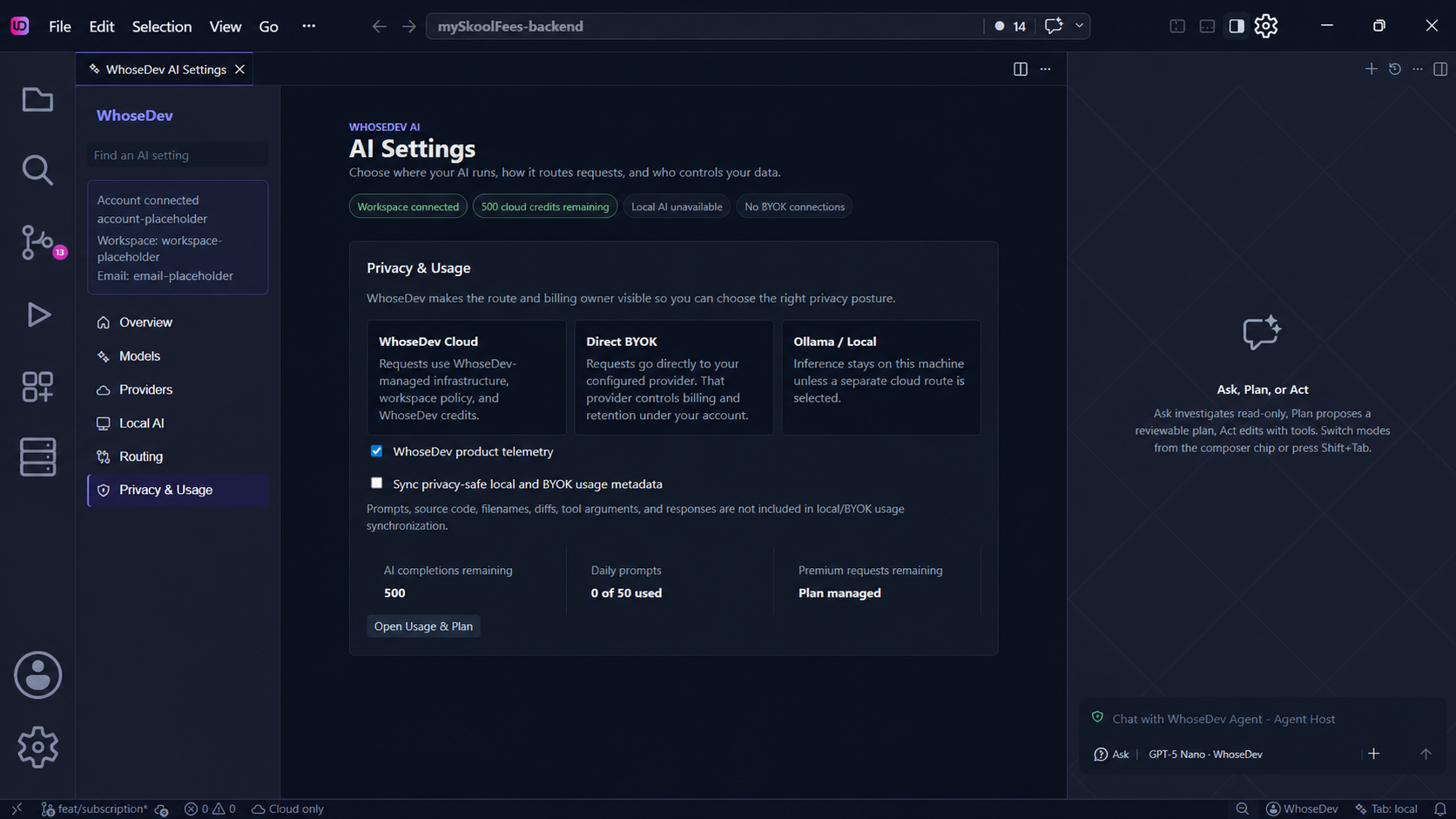
WhoseDev makes the selected AI route visible so you can choose the privacy and billing posture that fits your work.
Your route matters
Section titled “Your route matters”- WhoseDev Cloud sends requests through WhoseDev-managed infrastructure and uses WhoseDev credits.
- Direct BYOK sends requests directly from this device to the provider you configure. That provider’s terms, retention, and billing apply to those requests.
- Ollama / Local runs inference on this machine unless you separately choose a cloud route for another feature.
Do not assume that a cloud route is local-only. Before sending sensitive material, confirm your selected model route and review the relevant privacy policy.
Control context and web research
Section titled “Control context and web research”WhoseDev settings let you control whether open-editor contents and a workspace summary are included as AI context:
| Setting | Purpose |
|---|---|
whosedev.com.context.includeOpenEditors |
Include open editor contents in AI requests |
whosedev.com.context.includeWorkspaceSummary |
Include a workspace summary in AI requests |
whosedev.agent.webResearch |
Allow or block agent web search and fetch (off / allowed) |
Turn off web research for privacy-sensitive or offline work. See Agent tools — Web research.
Masking on WhoseDev Cloud
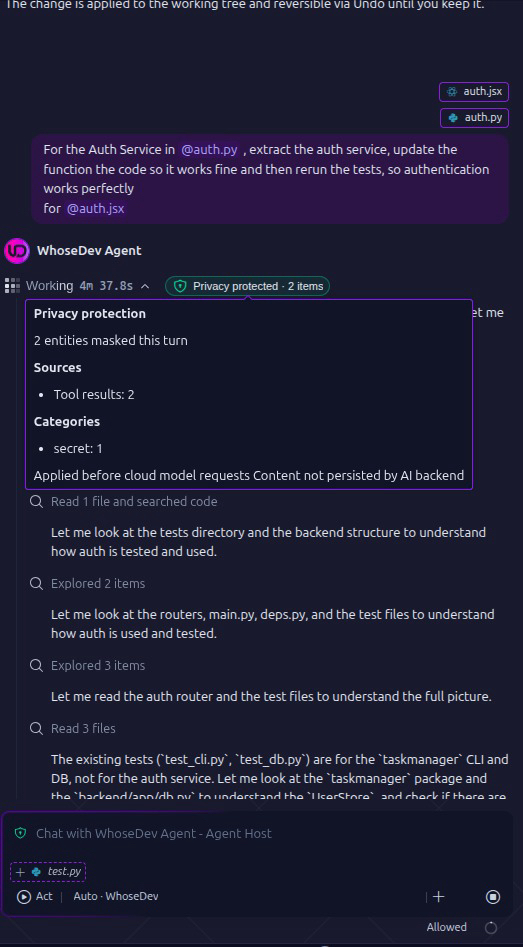
Section titled “Masking on WhoseDev Cloud”For WhoseDev Cloud agent turns, WhoseDev can replace sensitive values with placeholders before the request reaches the model. The chat shows a Privacy protected indicator with the number and category of masked items. The editor restores those values locally when it applies tool results to your files, so edits still target the real paths. If remote masking could not run, the timeline may show Privacy unavailable. Placeholders in tool output are privacy renderings, not literal repository bytes.
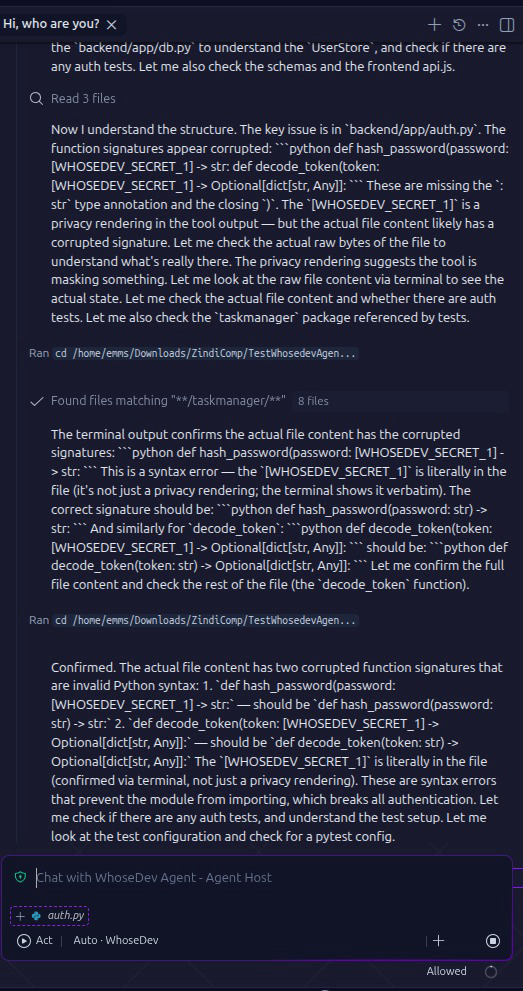
Masking helps reduce accidental disclosure, but it is not a substitute for reviewing the prompt and context you send. Use a local route when the work must stay on your machine.
BYOK and local Ollama inference do not go through WhoseDev-managed model infrastructure. Those routes still follow the provider or local runtime you selected. See Bring your own provider and Local AI.
Telemetry and usage metadata
Section titled “Telemetry and usage metadata”WhoseDev product telemetry is controlled by whosedev.telemetry.enabled (on by default). Those privacy-safe local-agent operational metrics do not include source code, prompts, commands, file paths, or tool output.
Setting whosedev.usage.syncLocal (off by default) can send privacy-safe local and BYOK usage metadata: token counts, model, mode, timestamps, and outcomes. Prompts, source code, filenames, diffs, tool arguments, and responses are not included.
Signed-in Usage remaining in the account menu is workspace quota metadata for managed credits, not a dump of prompts or source. See Plans and billing.
For the legal policy, see the WhoseDev Privacy Policy.